Mobile Apps
/
Mobile 9
Introducing Mobile 9 - A New Mobile Experience is Taking Shape.
Simplified authentication, refreshed styles, and new ways to make everyday banking even easier.
It’s Me 247 Mobile Manager
Questions?
Contact Sales & Support arrow_forwardSign In, Simplified!
Mobile 9 streamlines authentication by focusing on two familiar options: Biometric Authentication and PIN. Members can now quickly choose the method that works best for them!
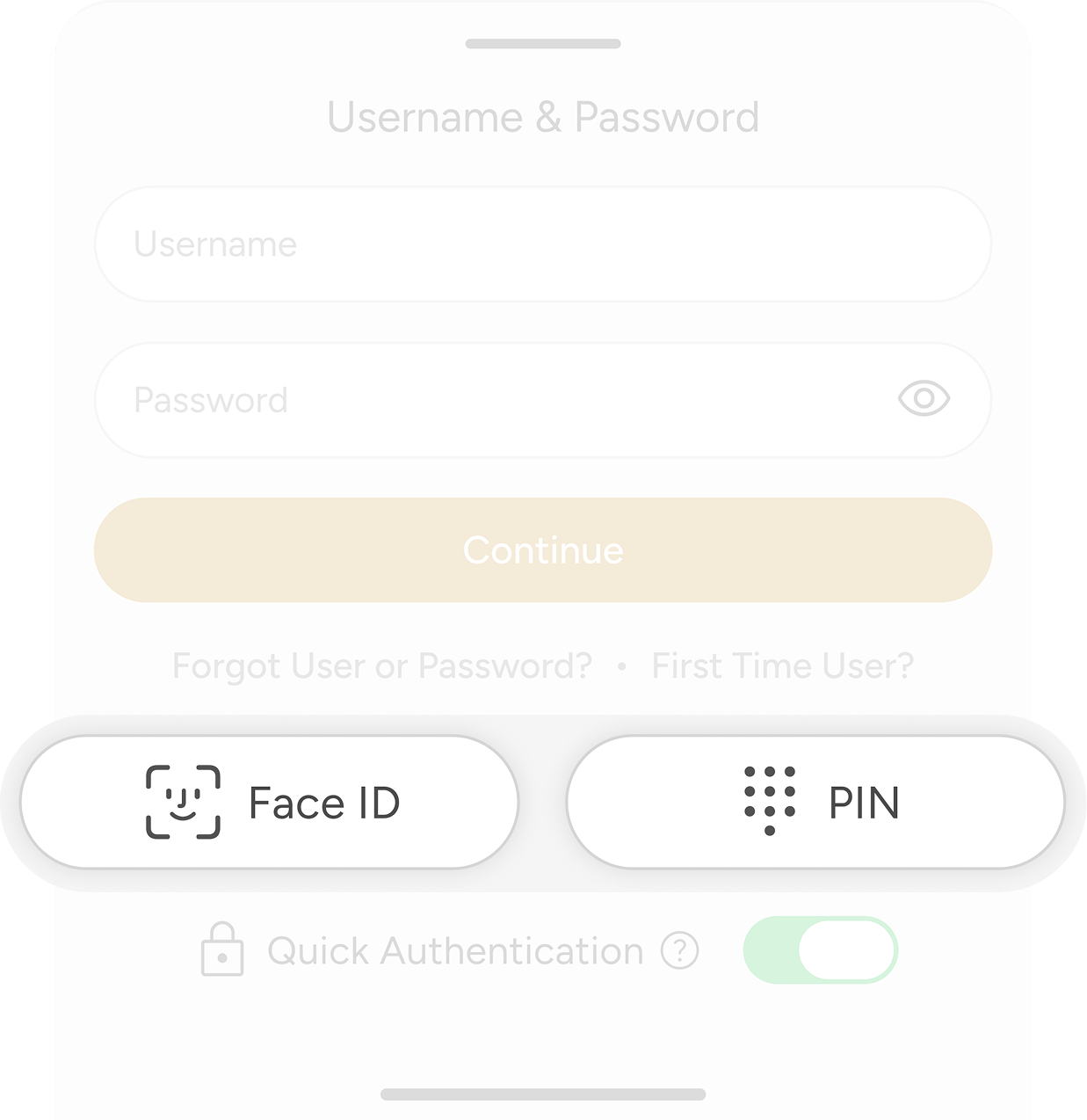
One Button,
Two Purposes
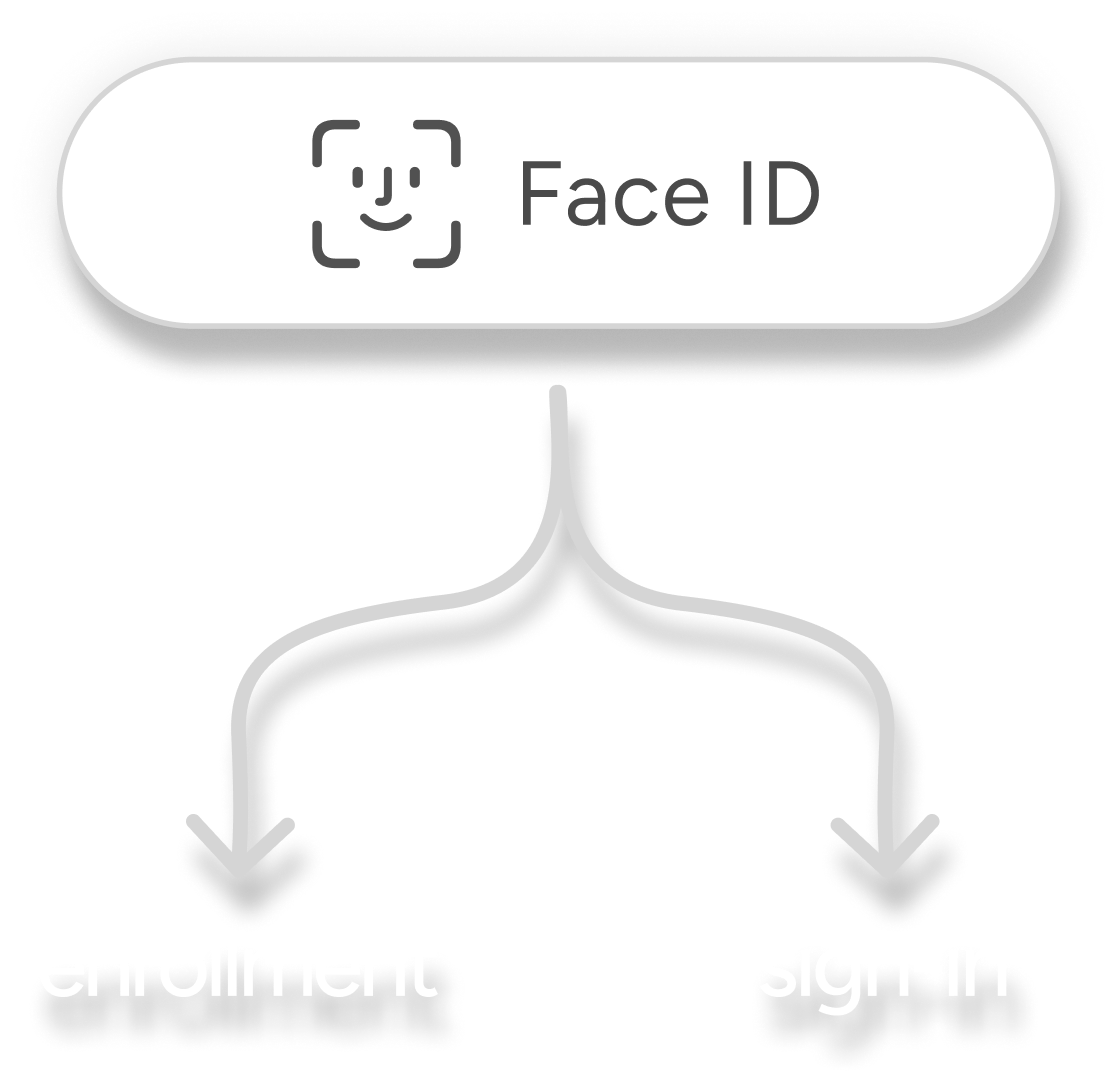
The new authentication buttons do more than help members sign in. If a method hasn’t been set up yet, the same button can begin enrollment. Once enrolled, it becomes the member’s way to authenticate—creating one consistent experience from setup to everyday use.
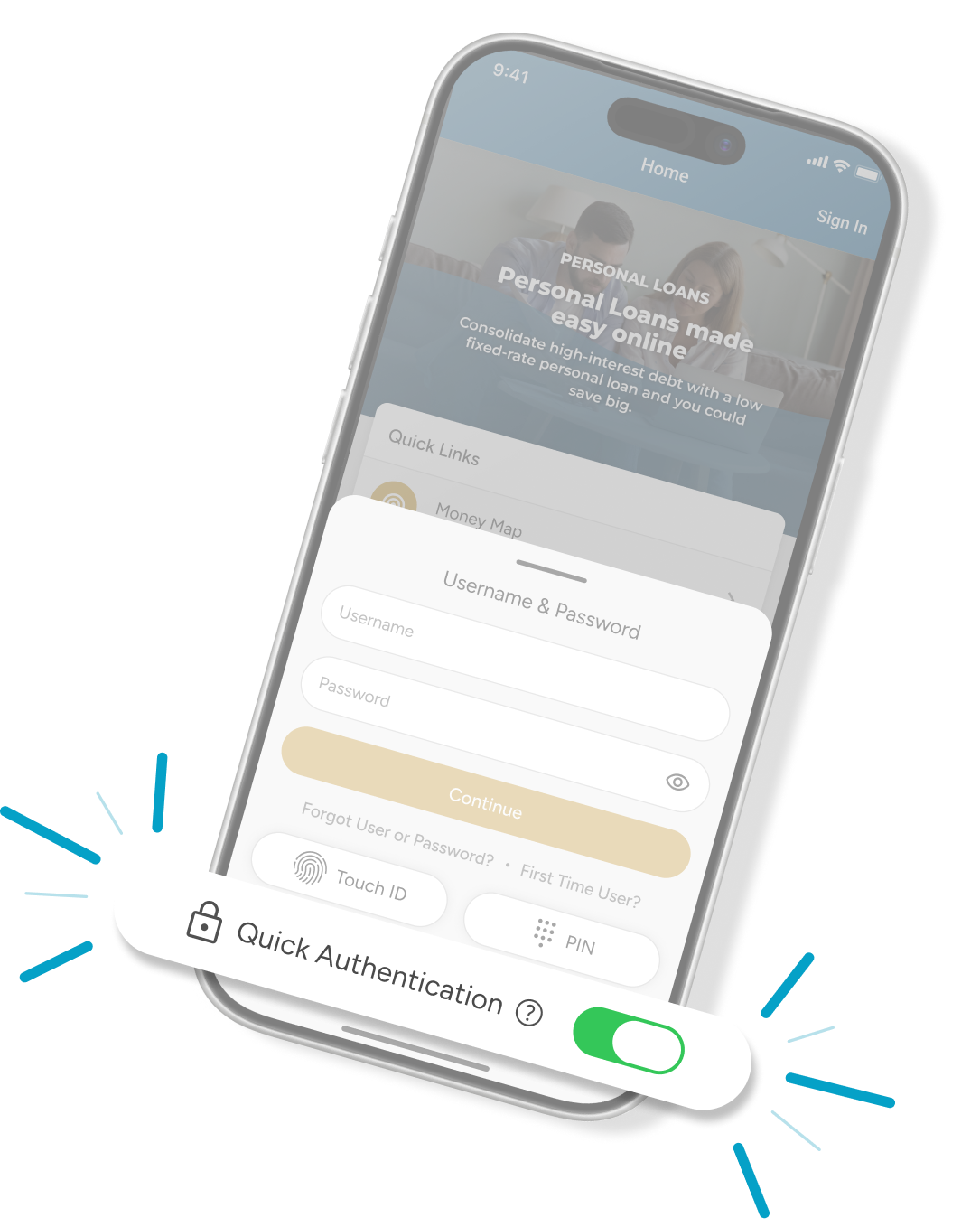
What Is Quick Authentication?
Quick Authentication is enabled by default for every member, so there's no need to tap a button to choose a sign-in method once enrolled — the app automatically triggers the biometric (fingerprint or facial recognition) or PIN prompt tied to whichever method the member used last, the instant the app opens. Members who prefer a traditional sign-in can turn it off, which returns them to the standard username-and-password screen at launch.
And More Is On
The Way!
The Way!

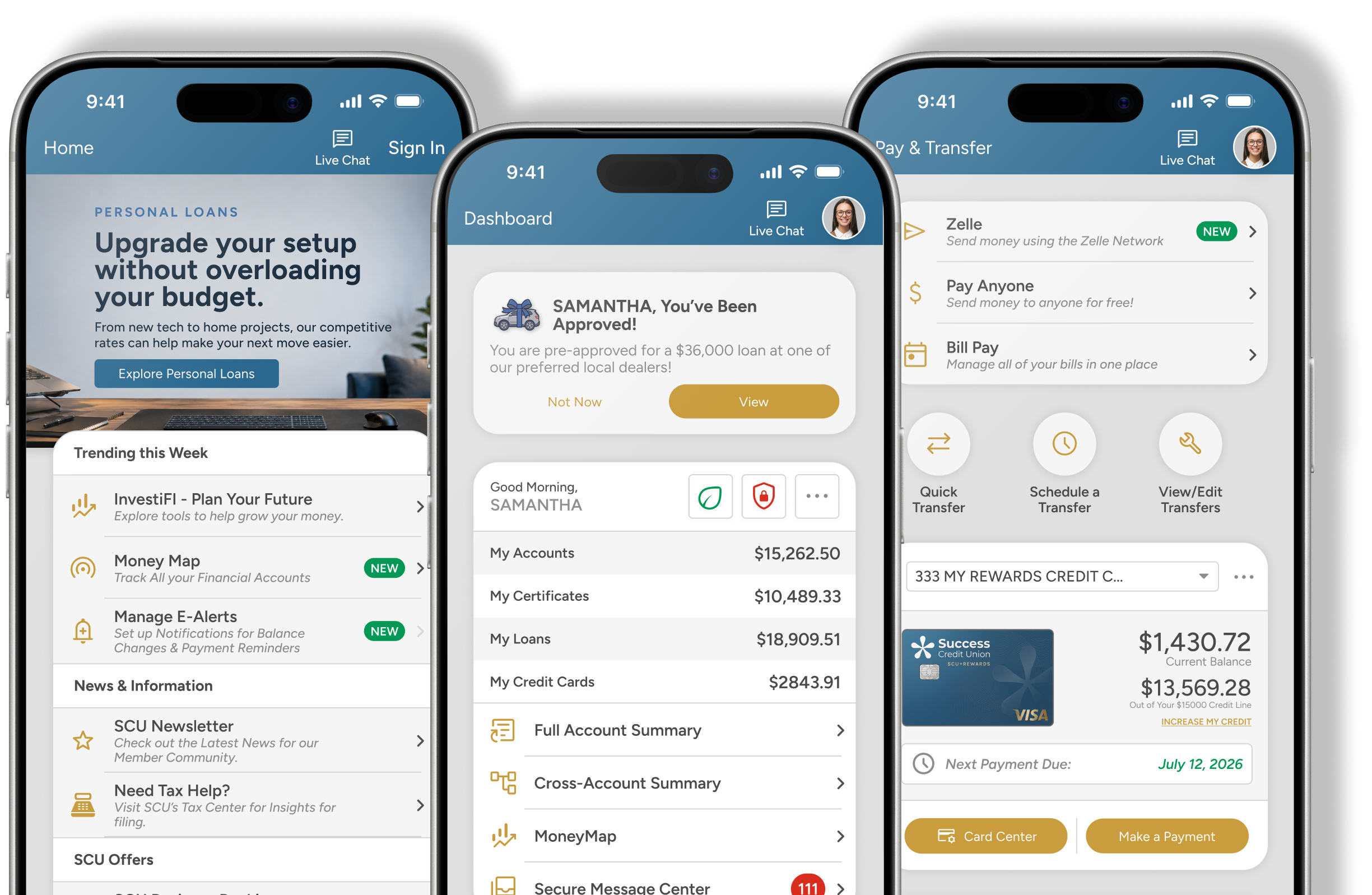
A Fresh Look for Mobile 9
Mobile 9 introduces refreshed typography and styling for a cleaner, more consistent experience while keeping familiar functionality intact.

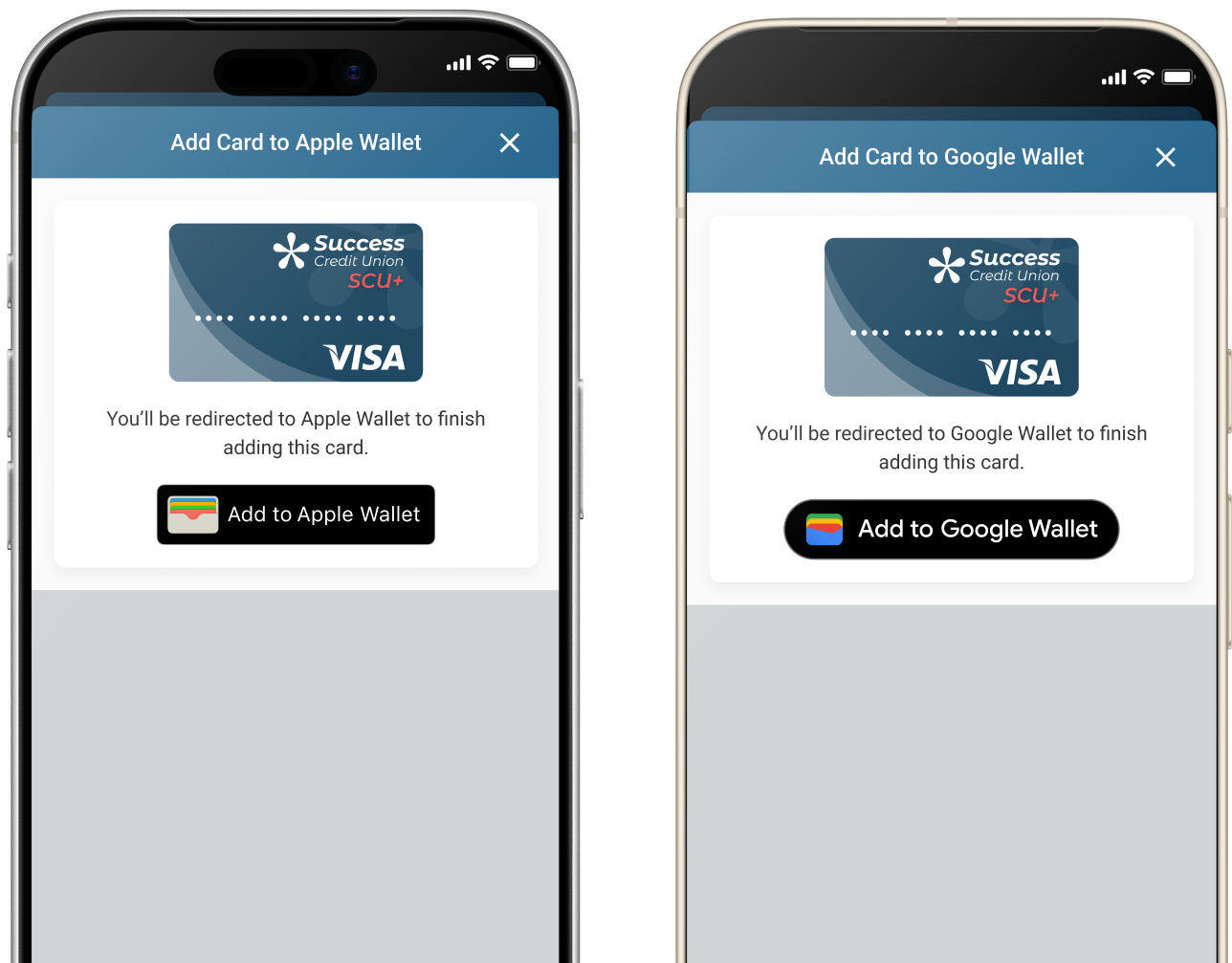
Add a Card to Your Wallet — Right From the App
An upcoming Mobile 9 enhancement will allow eligible members to add supported cards to Apple Wallet and Google Wallet directly from the mobile banking app, creating a more convenient path from their account to their digital wallet.
Explore Digital Wallet Provisioning
NEW & UPDATED WIDGETS
COMING SOON!
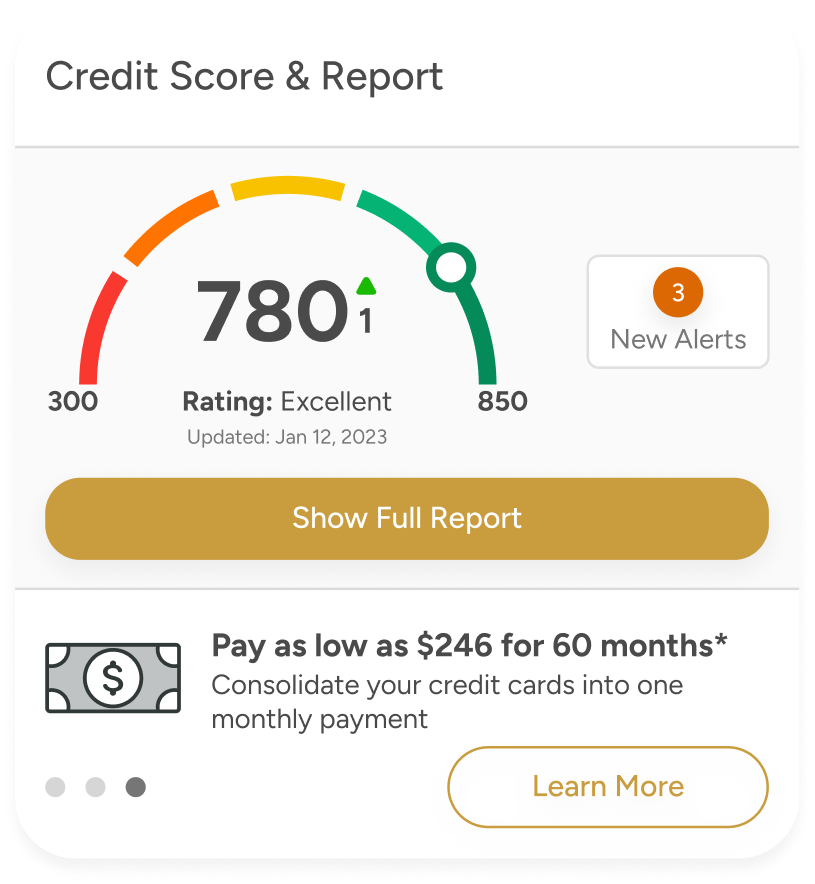
SavvyMoney Widget
A seamless cross platform integration to offer credit monitoring and targeted loan offers to your members.
Home Tab Widgets
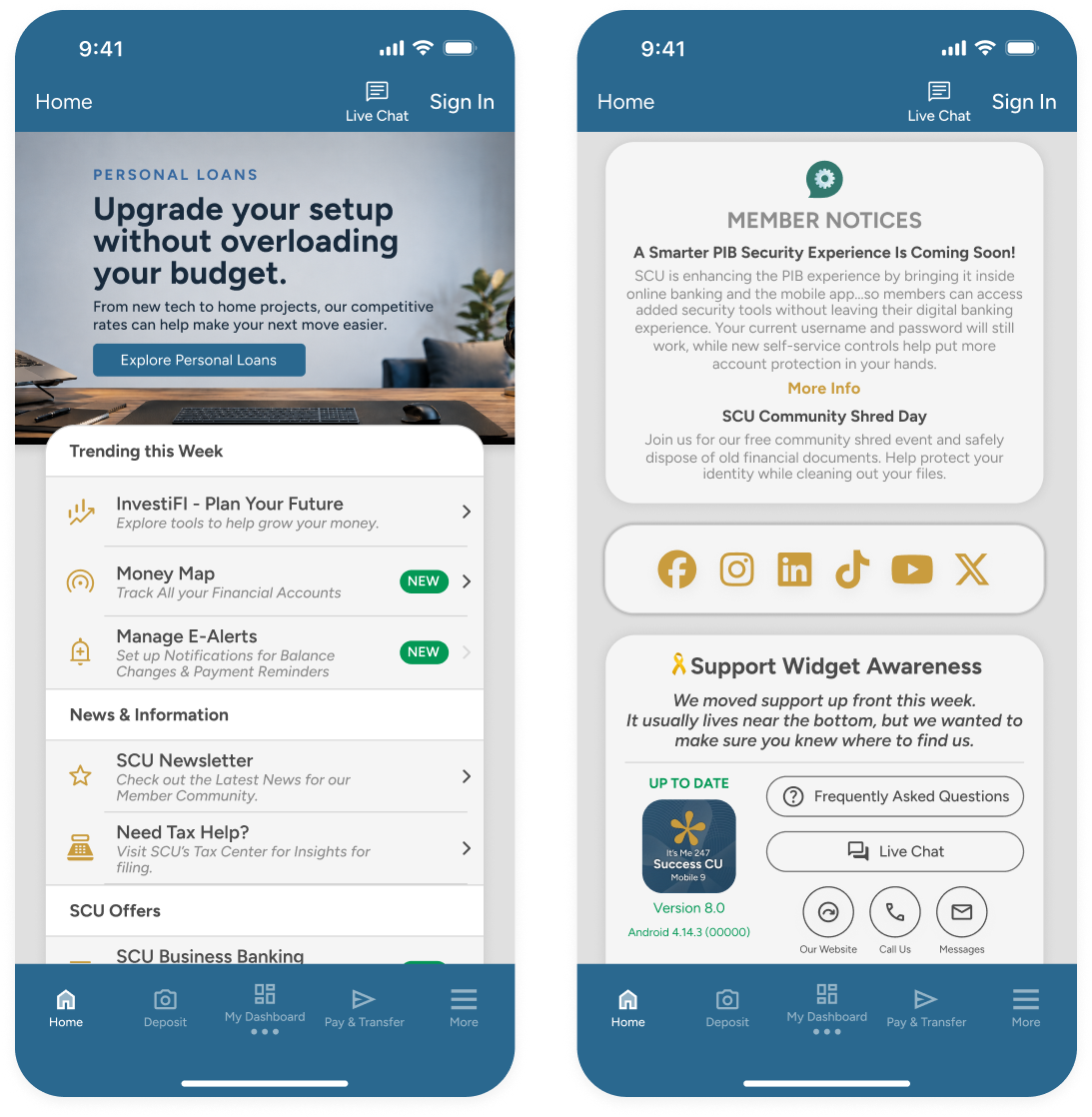
Additional options for the Home Tab of the your app. Improve member communication & experience.
flag
Social Media Widget
palette
New Button Link Style
feedback
Member Alerts Widget
headset_mic
Customizable Support Widget
Card Widget
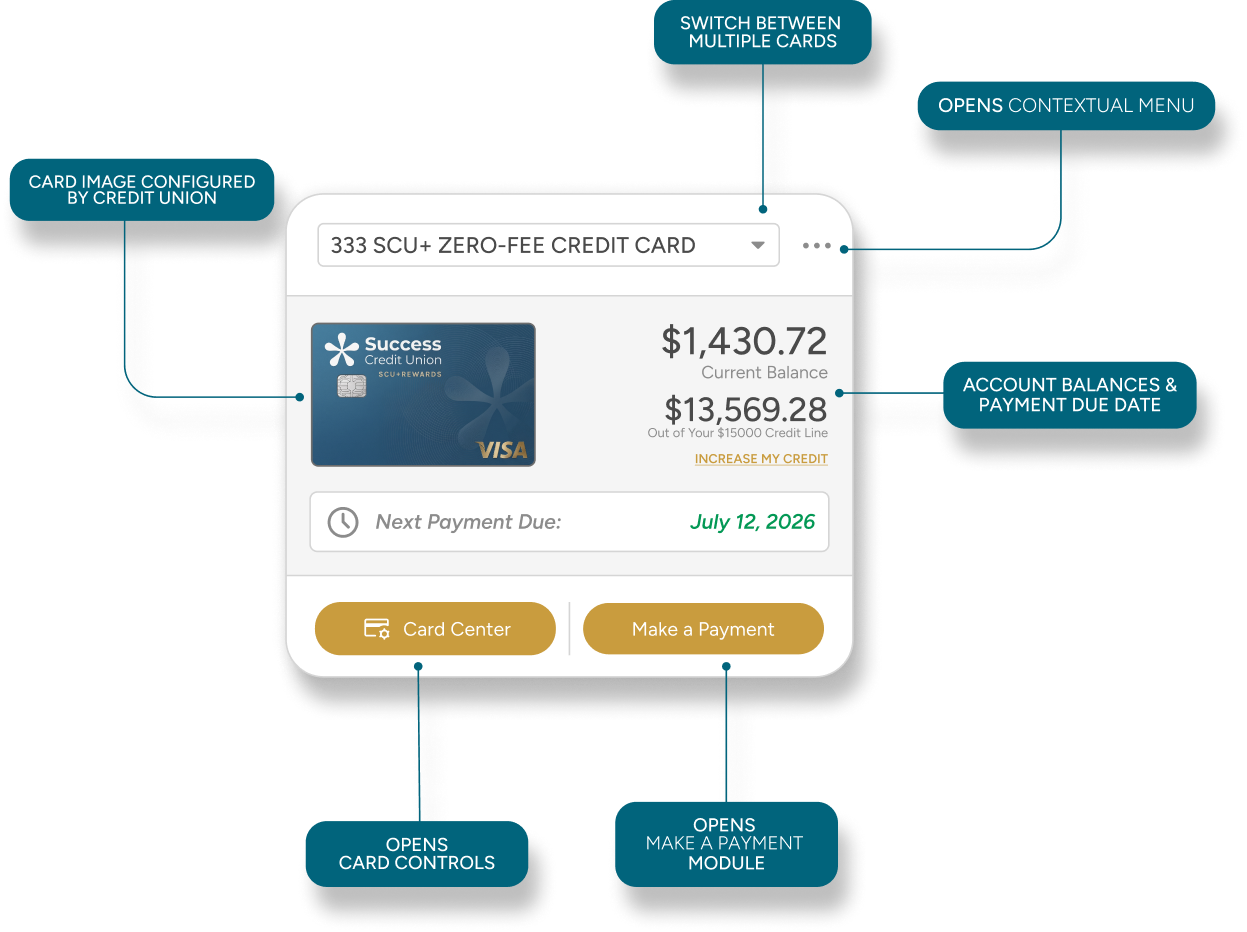
At a glance, members can see balances & due dates with convenient links to card controls & payment options.
event
View card payment due dates
attach_money
See current & available balances
list
Fully Configurable Contextual Menu
credit_card
Access to Card Controls & payment options
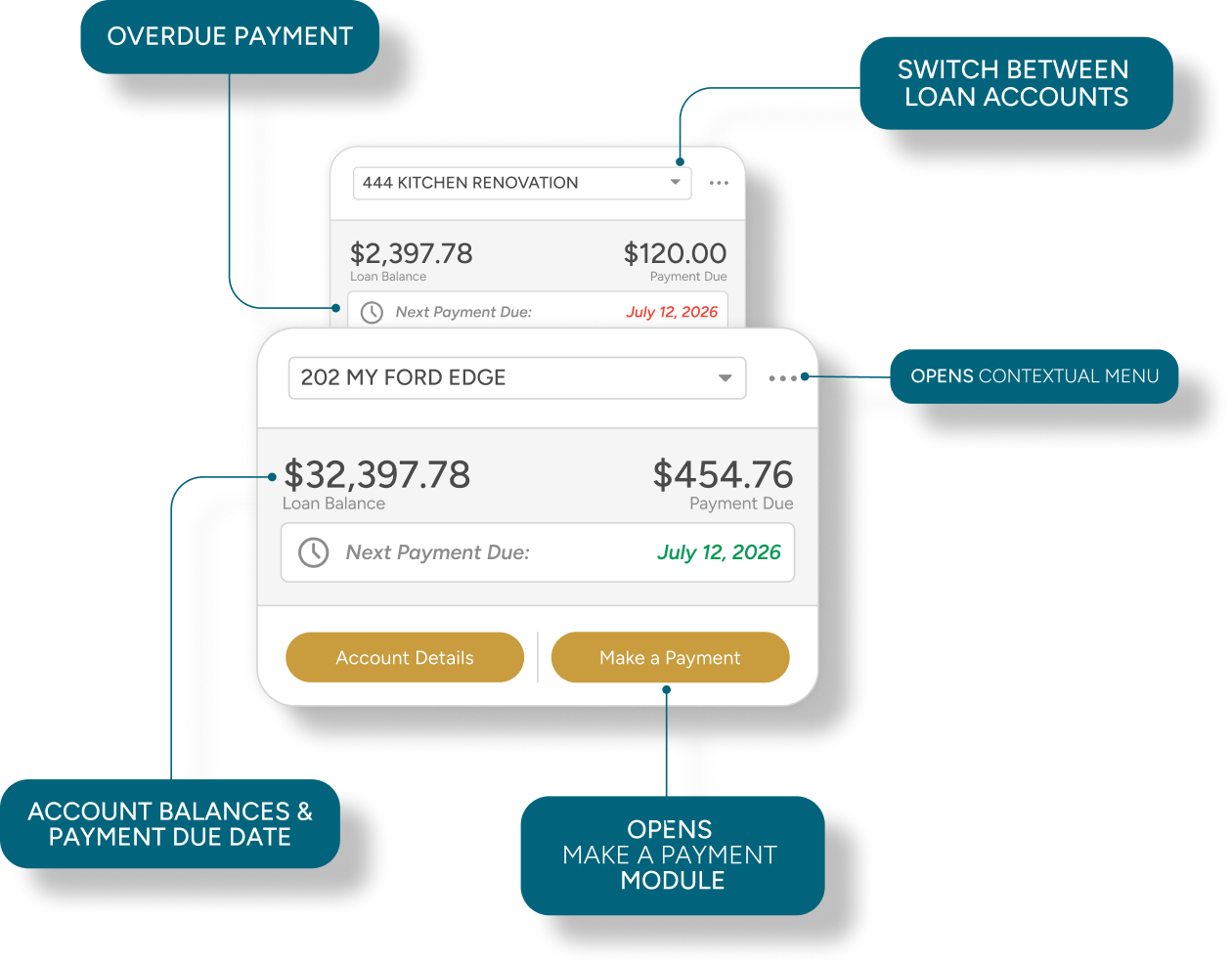
Loan Widget
Making quick payments is a breeze...without going to Full Account Summary.
event
View loan payment due dates
attach_money
See current and remaining balances
payments
Make a payment
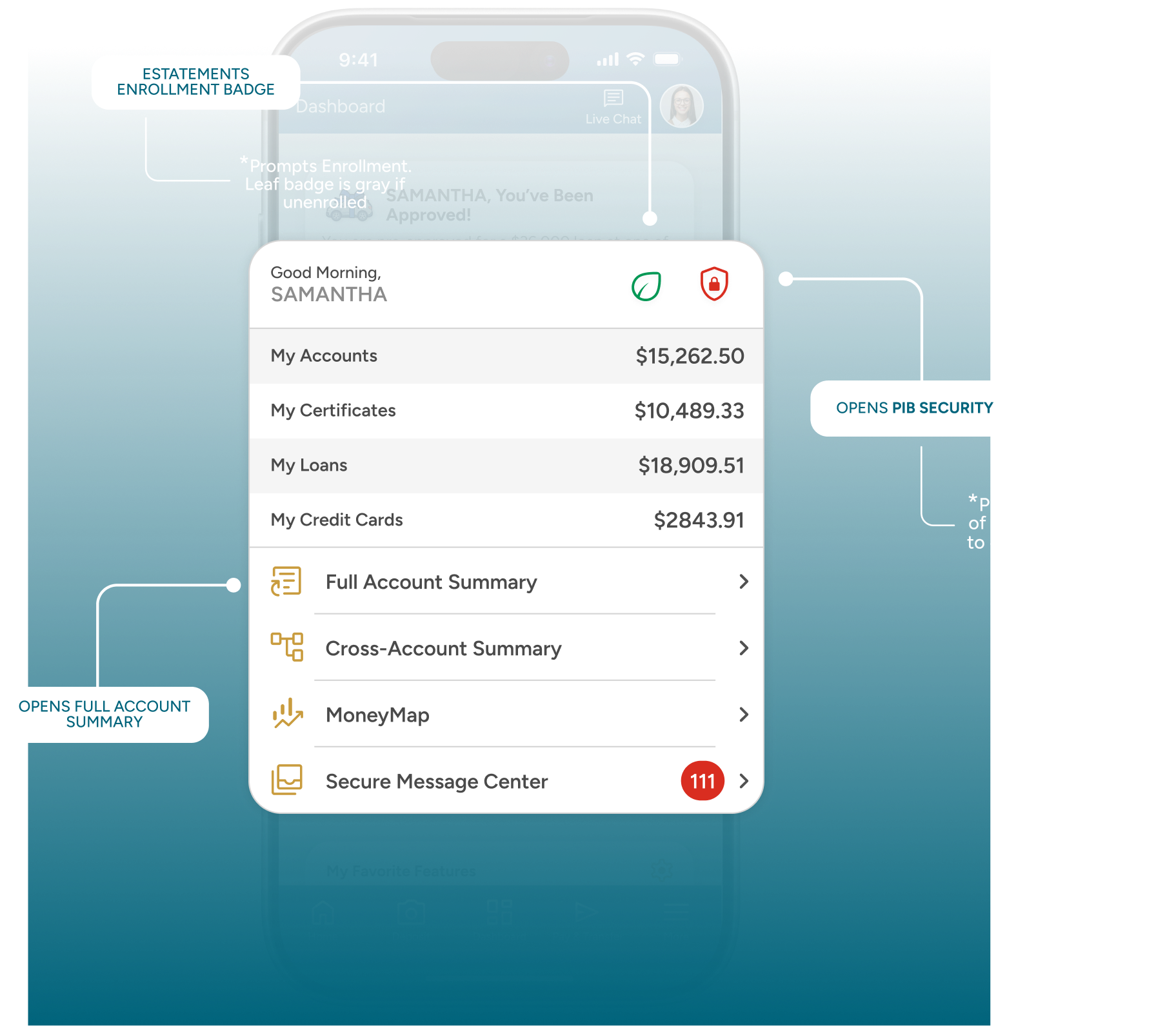
Welcome Widget Enhancement
Now with eStatements Enrollment and Gamification UX
list
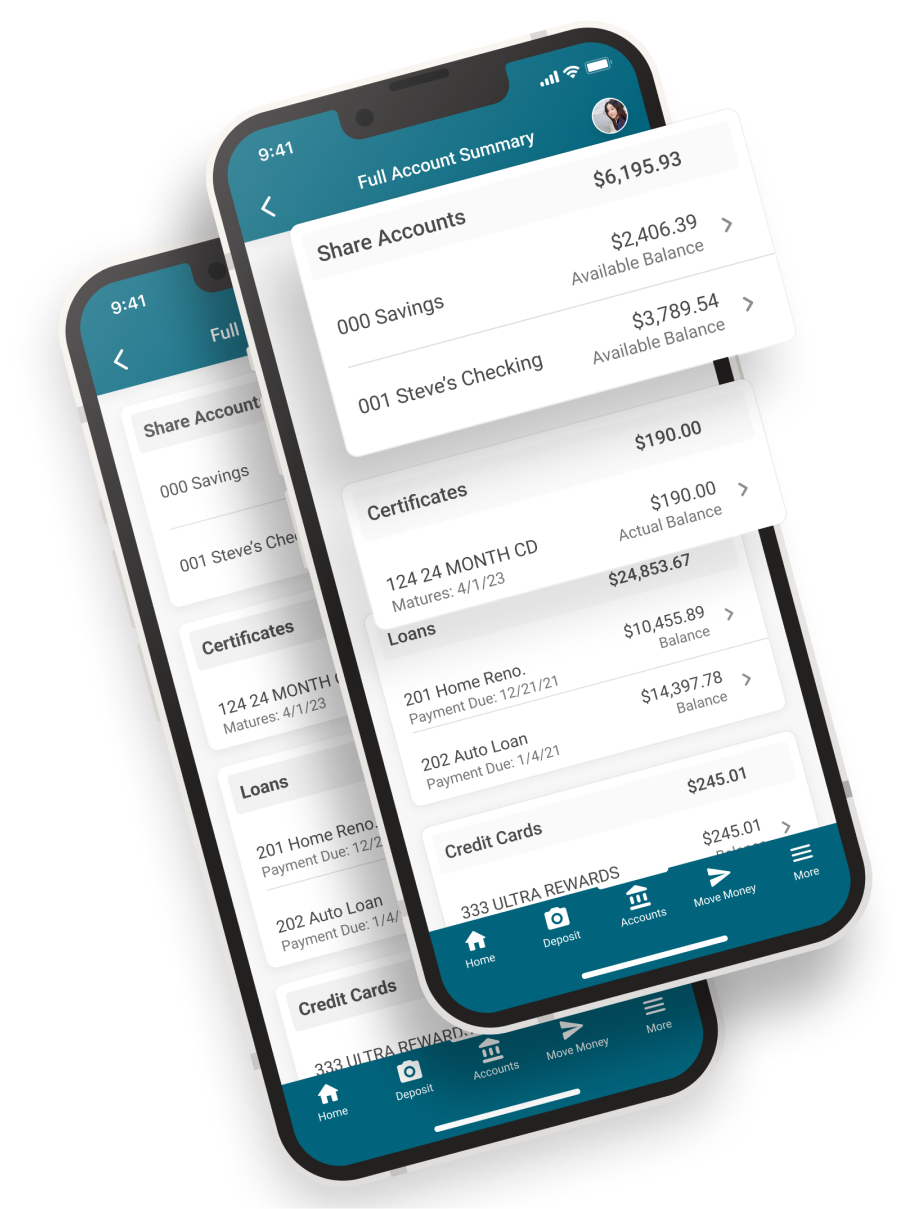
Improved Full Account Summary
Full Account Summary
Our more polished and improved Full Account Summary on Mobile 8 gives members more detailed information like certificate maturity dates and loan payment information.
Account types are now grouped with summary totals giving members a quick snapshot of their share accounts and loans.
Account types are now grouped with summary totals giving members a quick snapshot of their share accounts and loans.
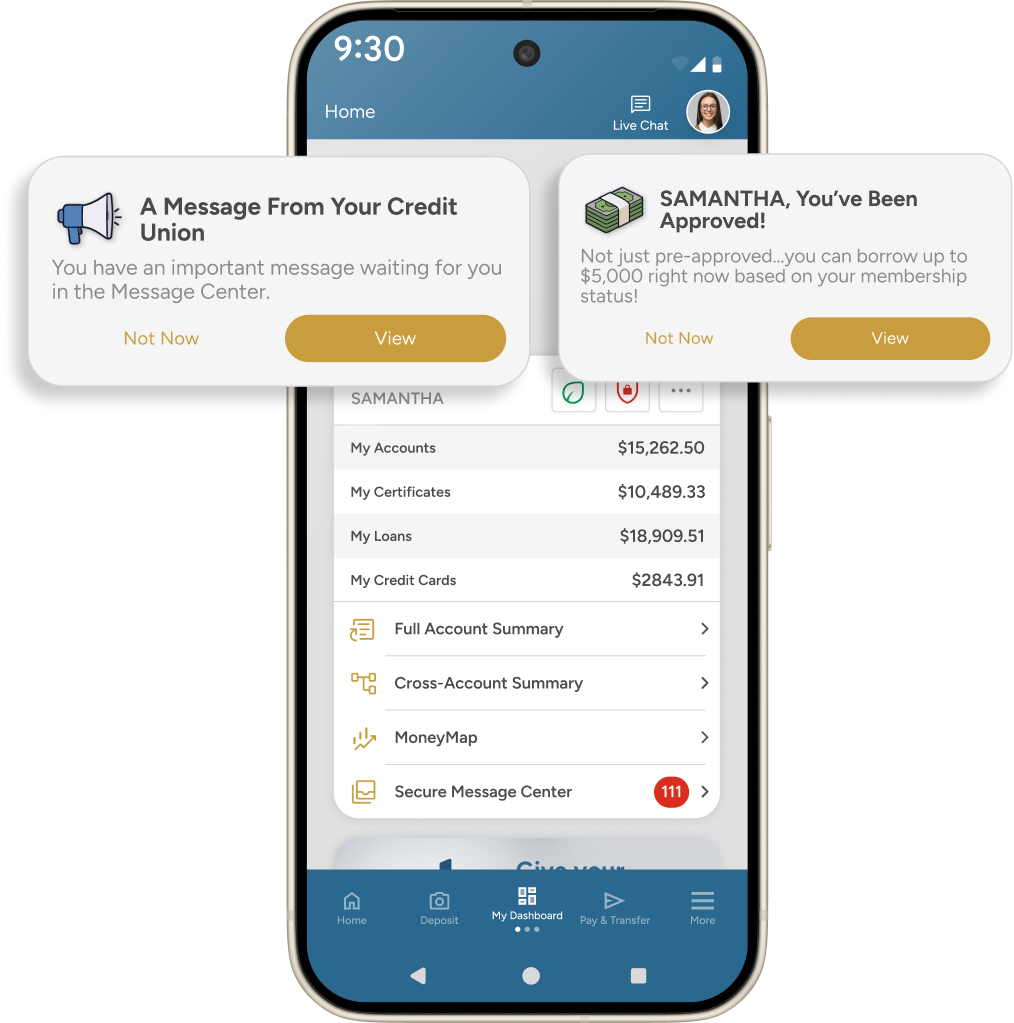
Stay up to date with Member Messaging
Member Messaging makes sure your members never miss an important reminder, alert, or special offer.

Everything
Members Love,
Still Here!
Members Love,
Still Here!

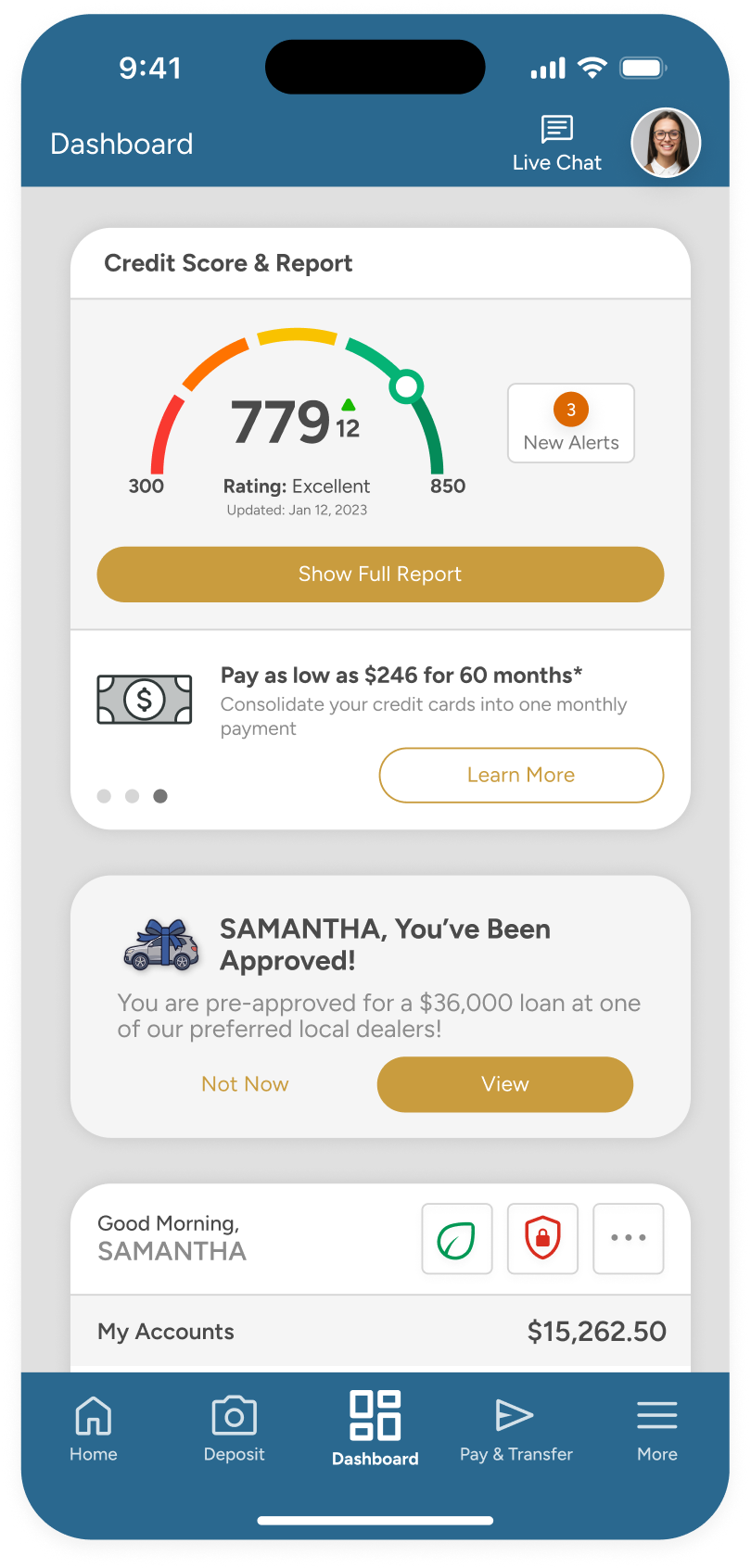
Score Analysis & Guidance
Mobile 7.0 introduces a powerful member engagement widget option for members to monitor their credit and understand their borrowing power. The SavvyMoney Widget for iOS and Android gives members access to their credit profile, including targeted loan offers.
Also available in Layout 2 for Desktop & Mobile Web.
Also available in Layout 2 for Desktop & Mobile Web.
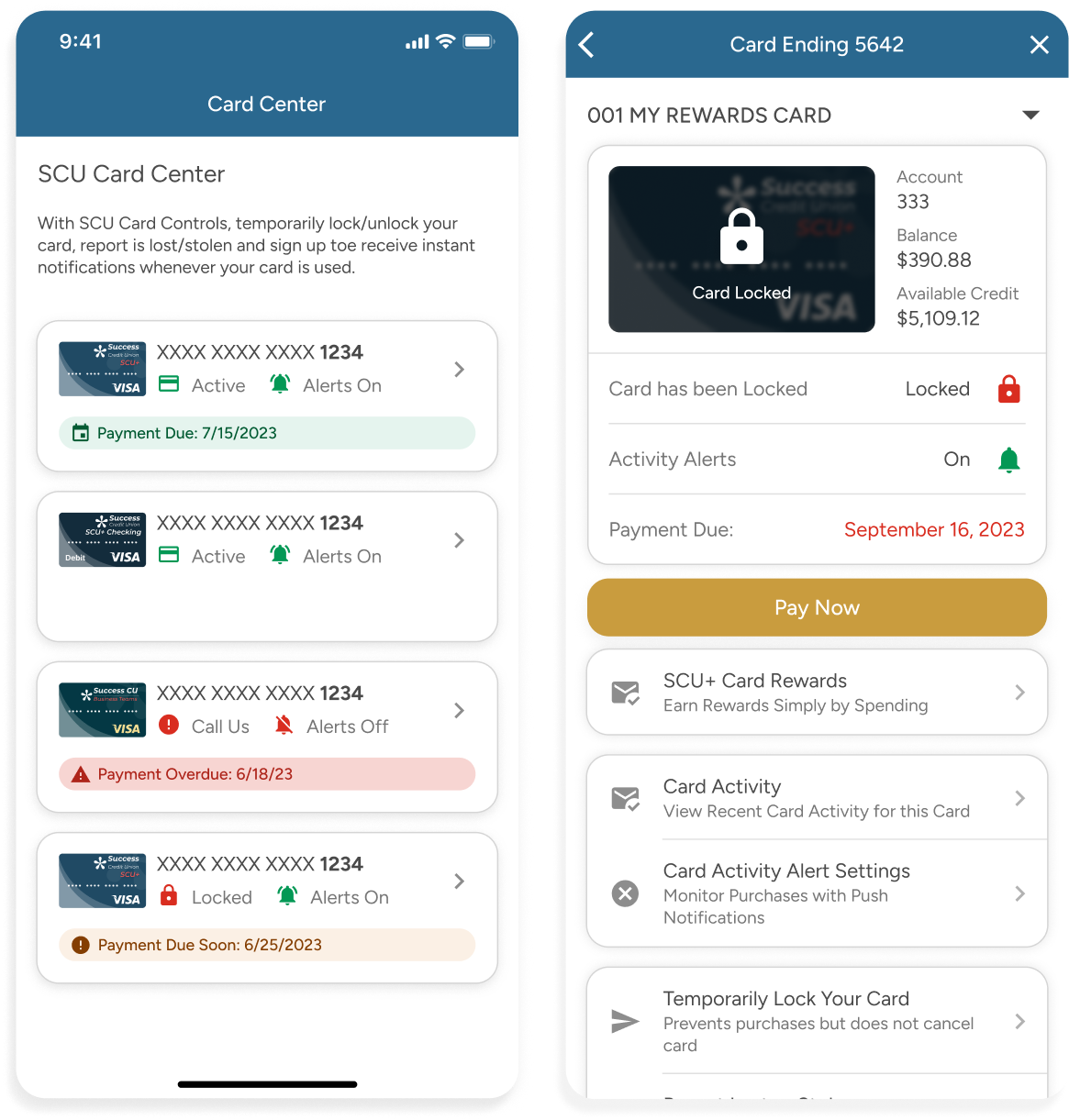
Card Controls...now Card Center
Mobile 8 brings some improvements to Card holders by allowing the credit union total customization to include features like card rewards programs or information about adding cards to digital wallets.
Card Center gives members self-service options to lock and unlock their cards as needed, along with push notifications for card activity.
Card Center gives members self-service options to lock and unlock their cards as needed, along with push notifications for card activity.
lock
Temporarily Lock or unlock a card
security_update_warning
Improved Card-Specific Activity
notifications
Push Notifications for Card Transactions
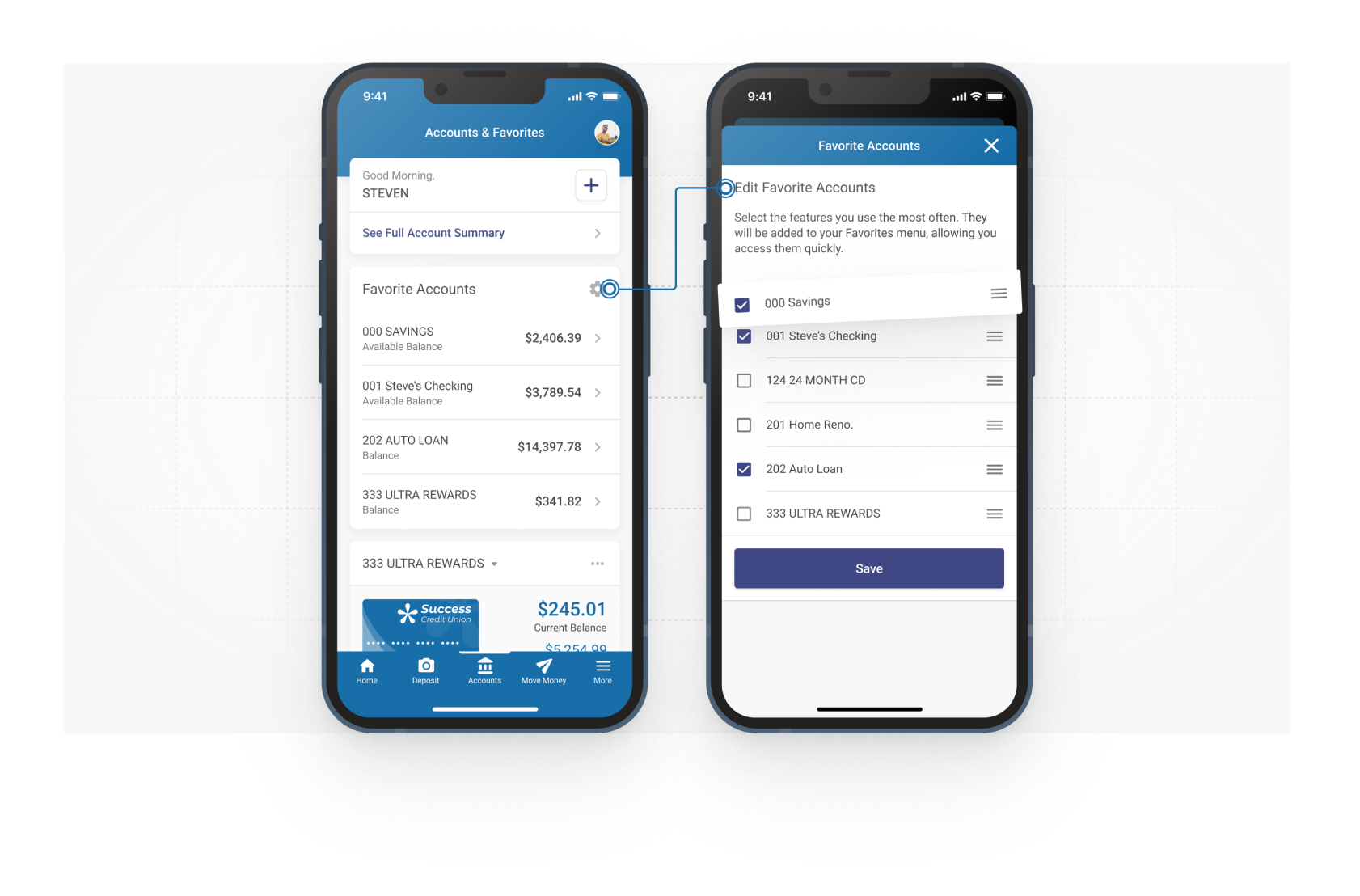
Favorite Accounts Widget
Giving members personalized control.
By default, the Favorite Accounts Widget shows all member accounts and any new accounts added to their membership. Members can show/hide and sort based on their personal preference.

Your brand...your layout
Also available in Layout 2 for Desktop & Mobile Web.
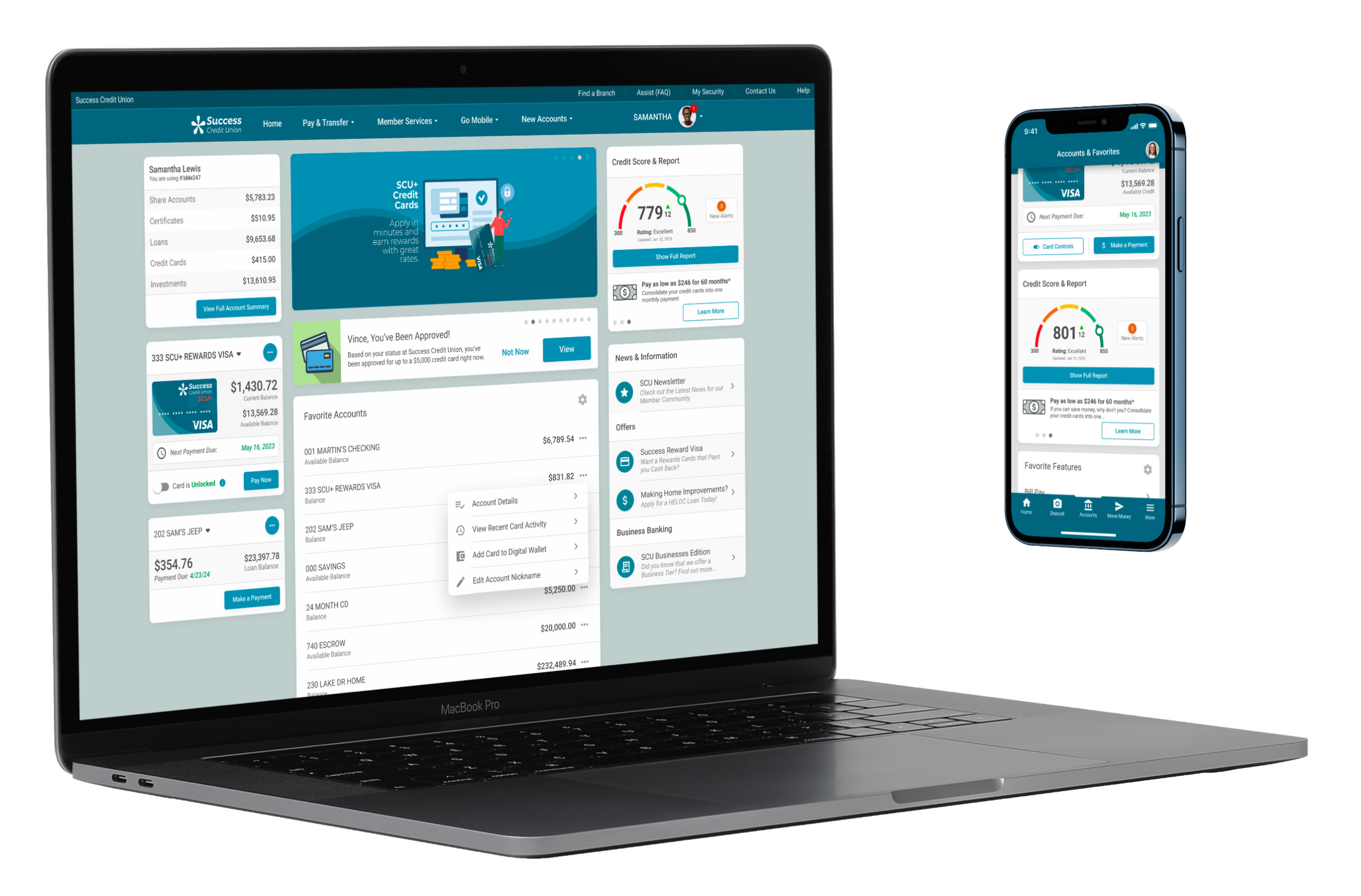
Every Screen Counts
A connected experience - with Dark Mode, everywhere.

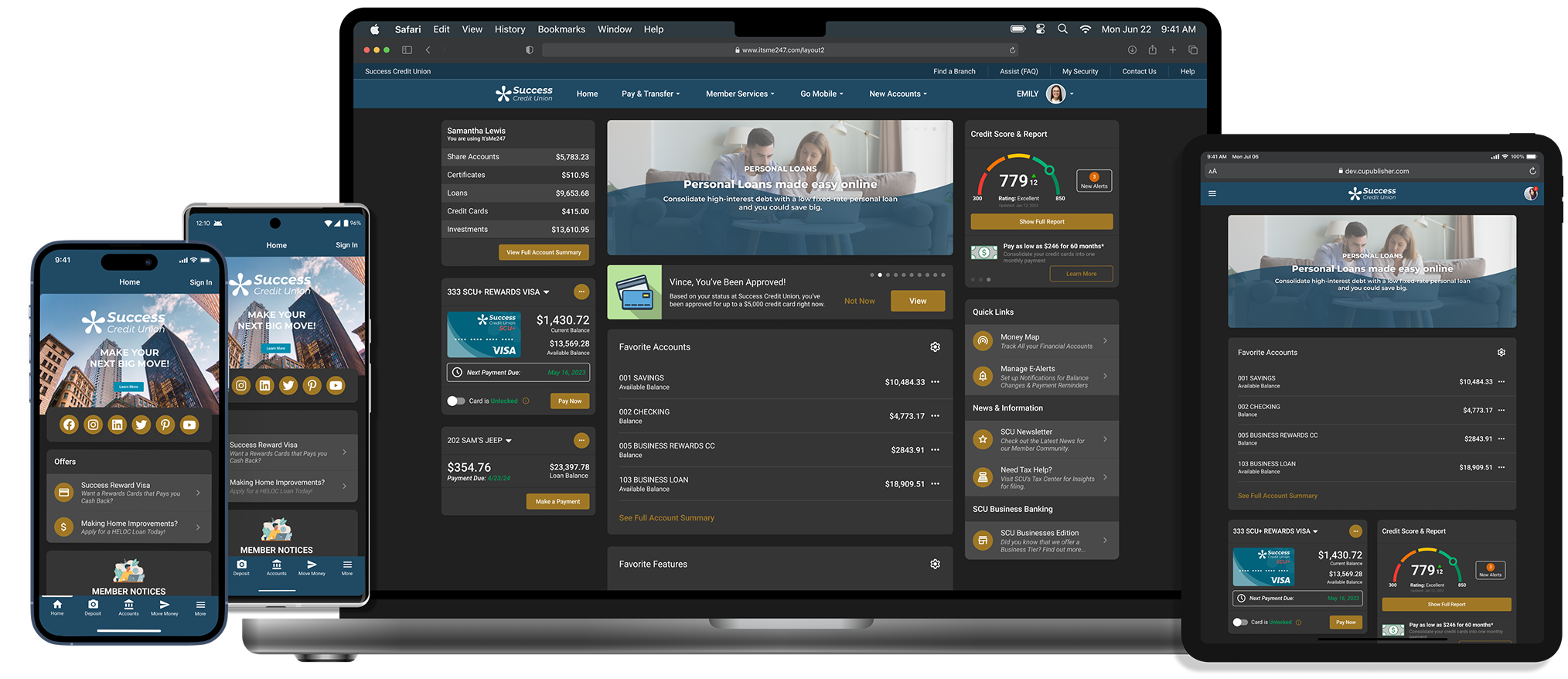

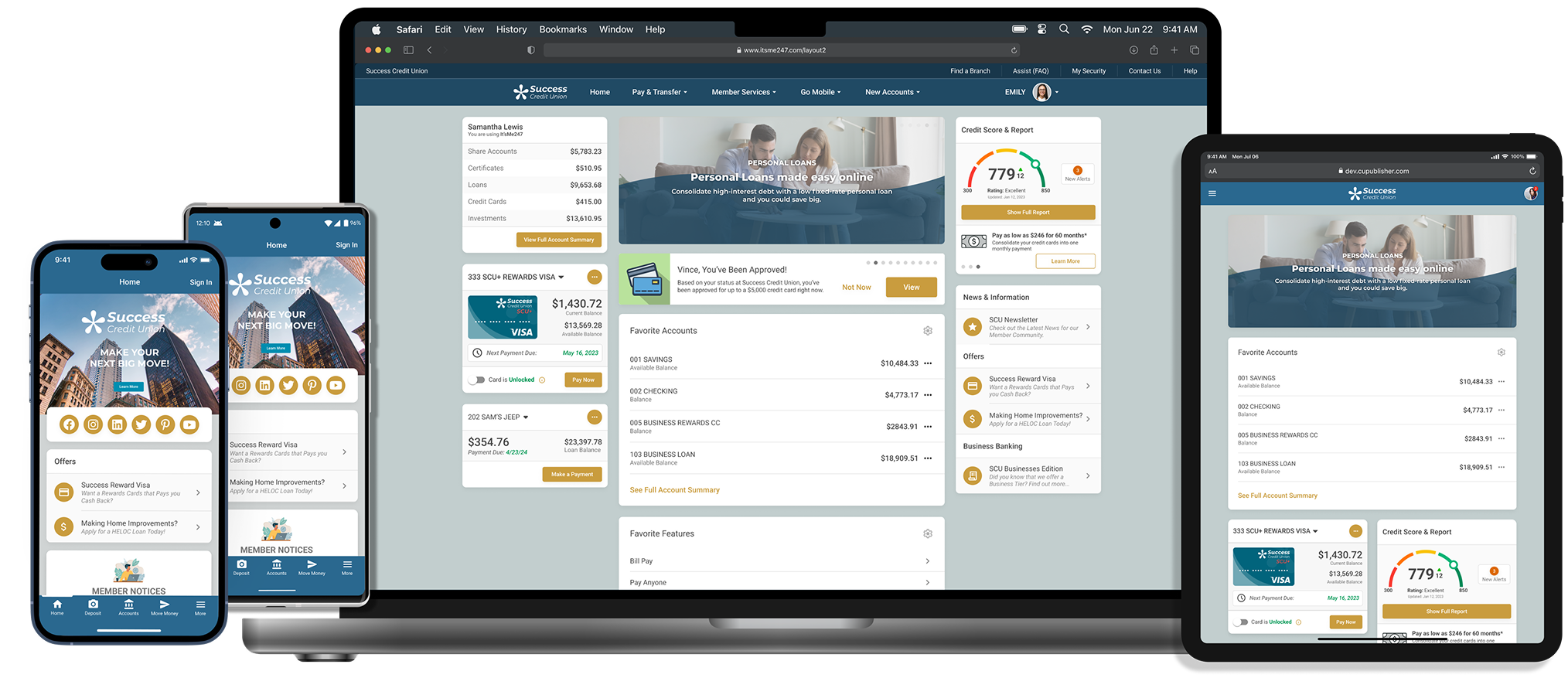
Your Members. Their Style.
Dark Mode is a member-controlled setting, right in the Profile Menu. Members can easily switch between light, dark, or system mode - whenever they choose.
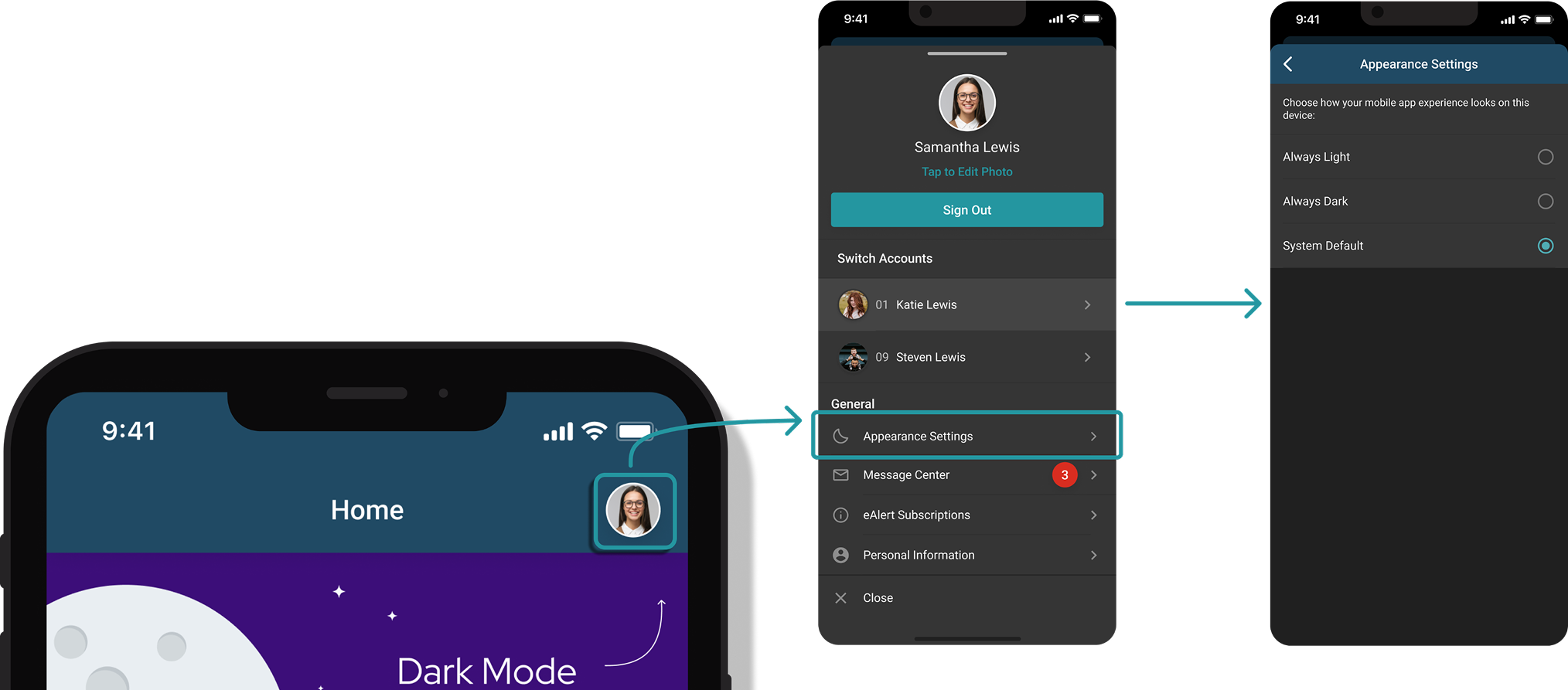
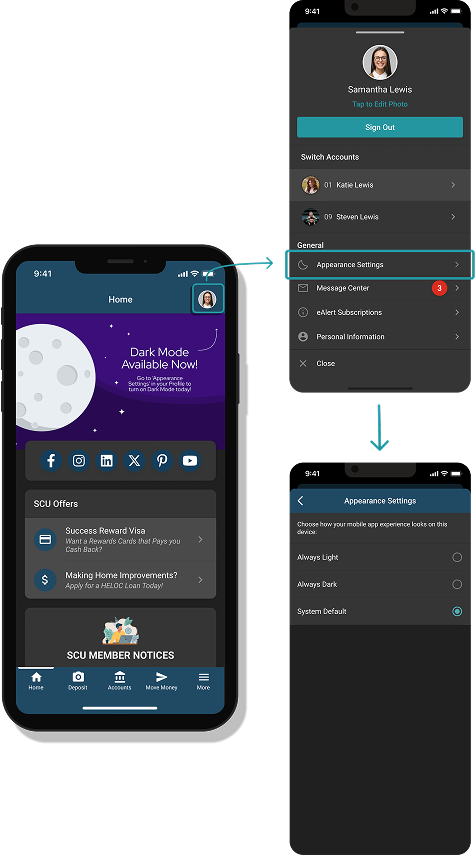

Enhance your Brand!
Self Service Preview & Publish Now Available
View Helpful Guidelines for Dark Mode

Self Service Marketing & UI Engine
Empower your credit union with Mobile Manager
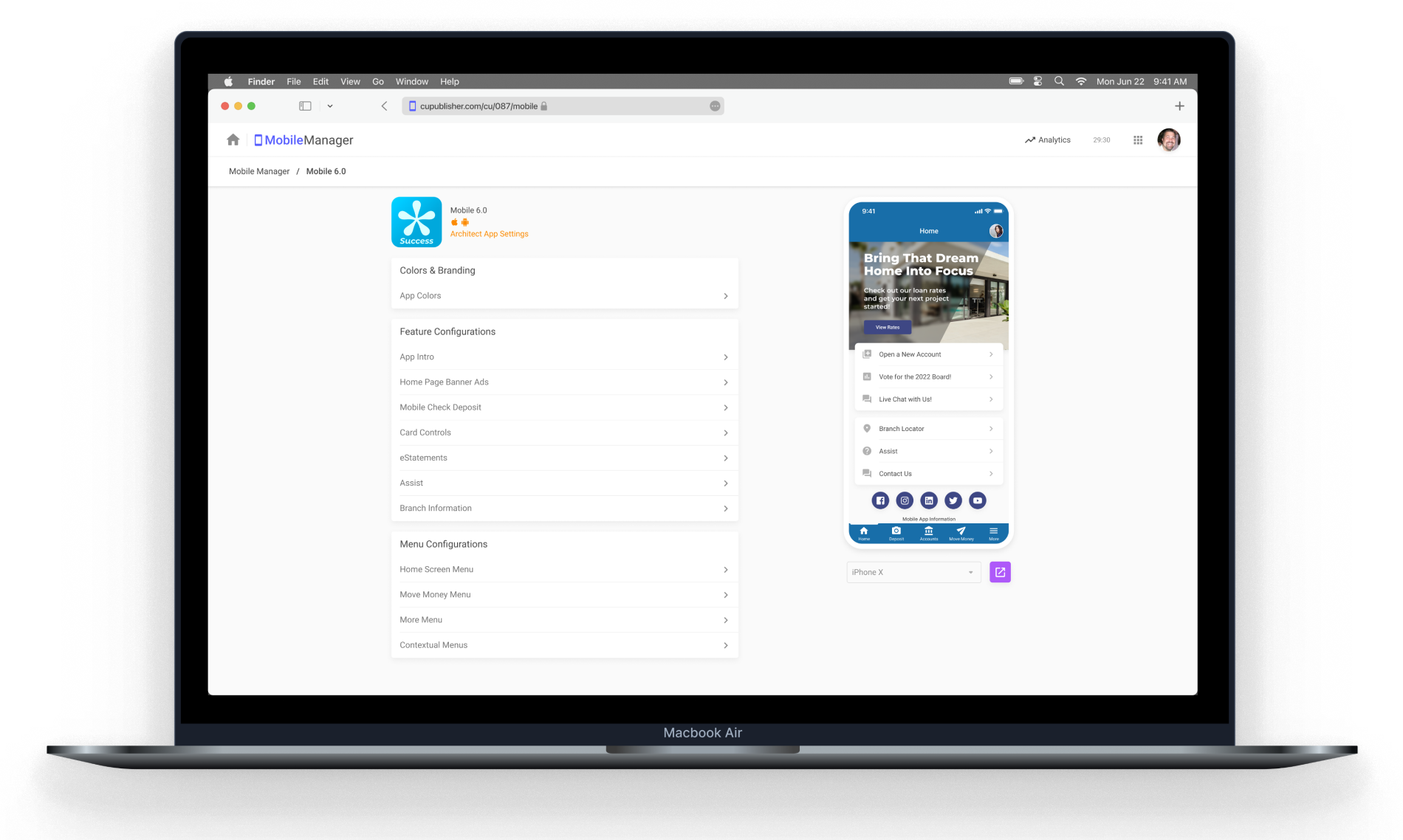

Everything. Everywhere. In Sync.

Get the complete suite to manage every member-facing touchpoint — web, mobile, and more.

Manage your App with Mobile Manager
Want more controls over your brand, marketing, and feature placement? Empower your credit union by subscribing today.
70+ Online Banking Integrations







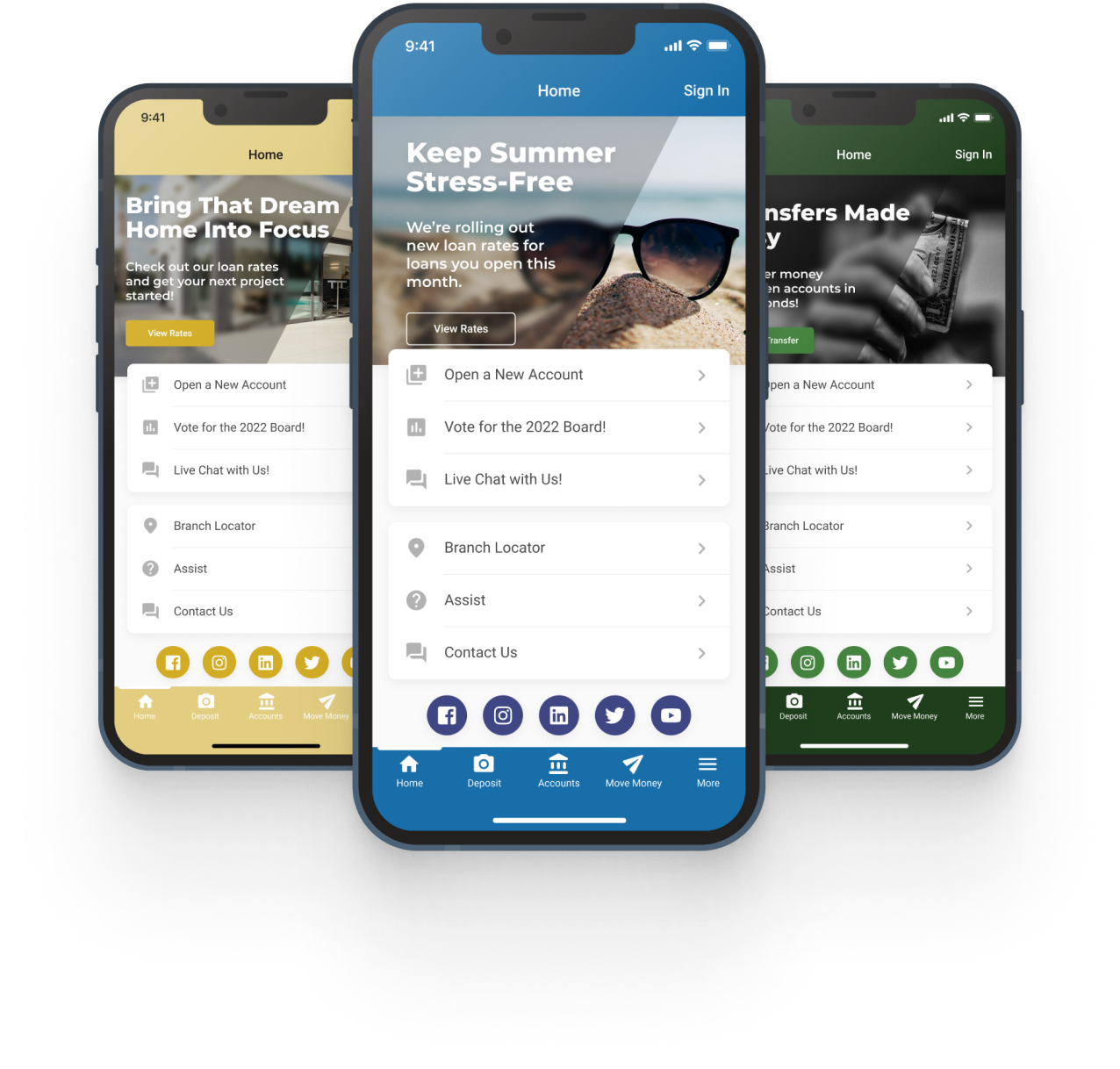
Your Brand ...Your Credit Union
To set your app apart from the rest, customize your marketing & branding by showing off your credit union’s colors. Create stunning advertisements that link to custom forms, web pages and even launch a feature like Mobile Check Deposit. With CU Publisher’s Mobile Manager, your self-service options are endless.
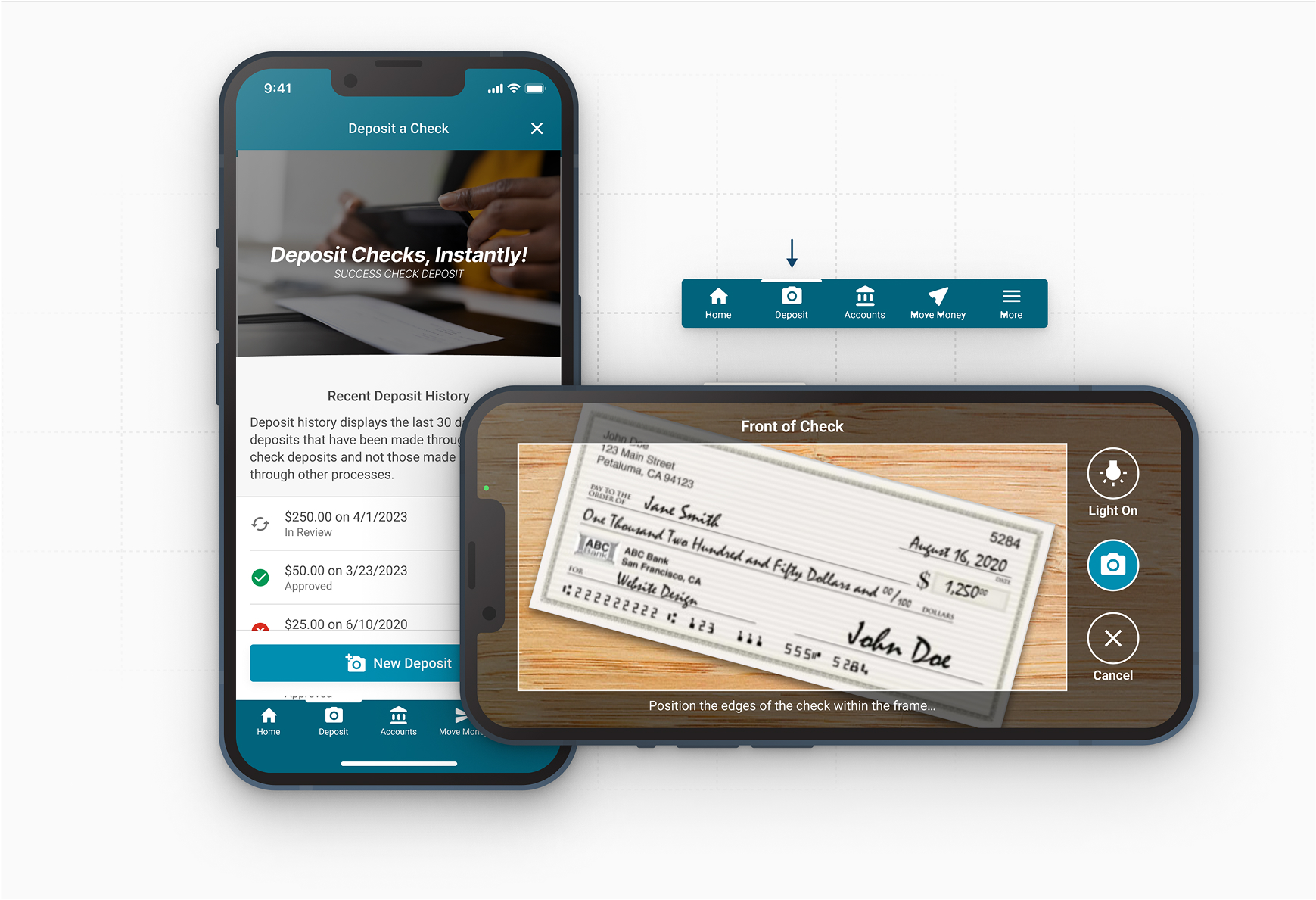
Mobile Check Deposit
Mobile Check Deposit allows your members to save time by depositing checks from anywhere at any time.
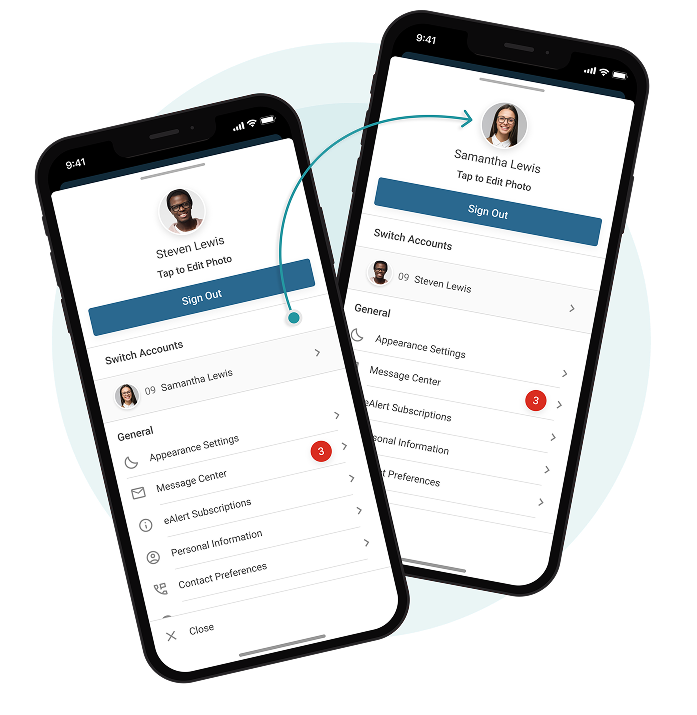
Profile Menu with Jump
Enhanced Jump UX
In both Mobile & Desktop solutions, member settings, security and login history are now centralized to the Profile Menu. Members can upload a profile picture, making Jump Account capabilities more personalized and intuitive.
Over 70 Online Banking Features
Desktop • Tablet • iOS • Android
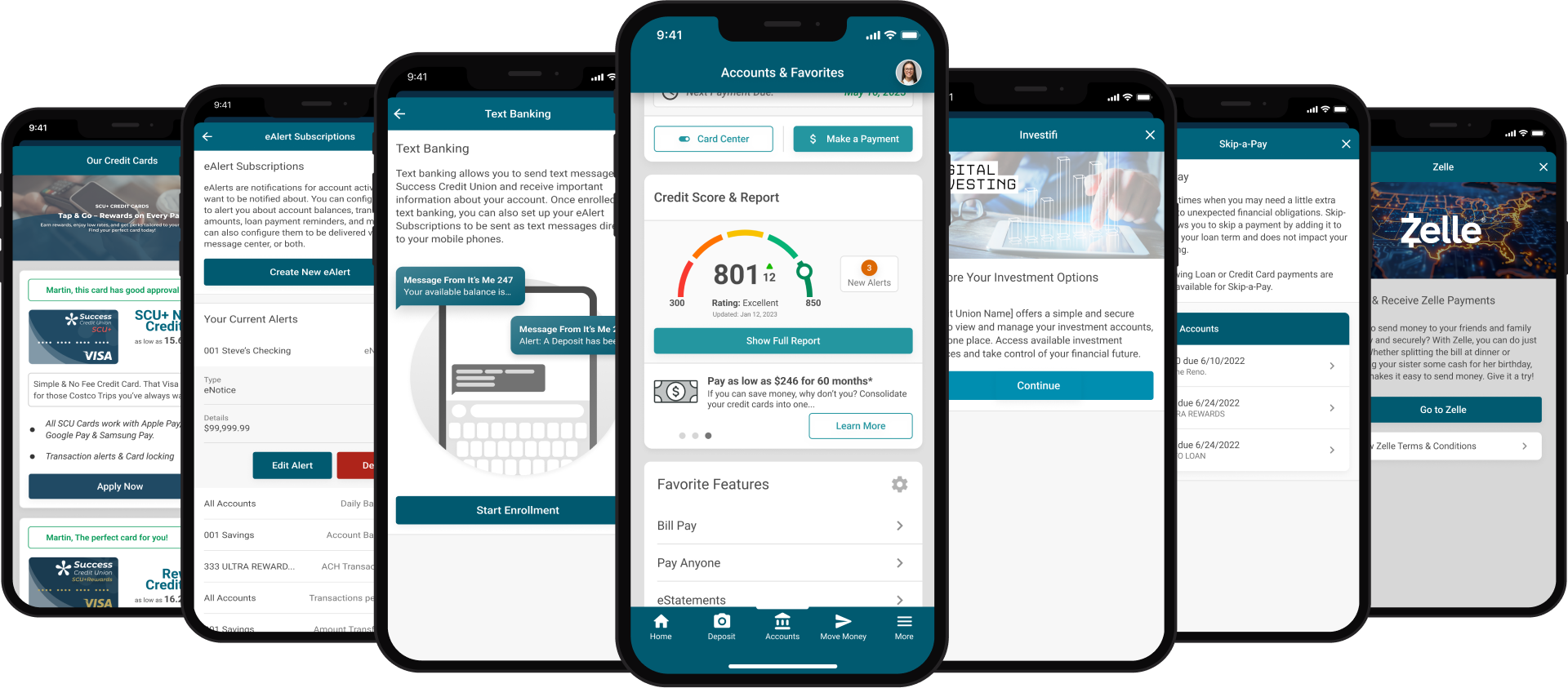
Mobile 8 offers over 70 mobile-first online banking features and more are on their way. Our entire online banking platform is optimized for mobile, tablet and desktop platforms.
Multiple Bill Pay Options
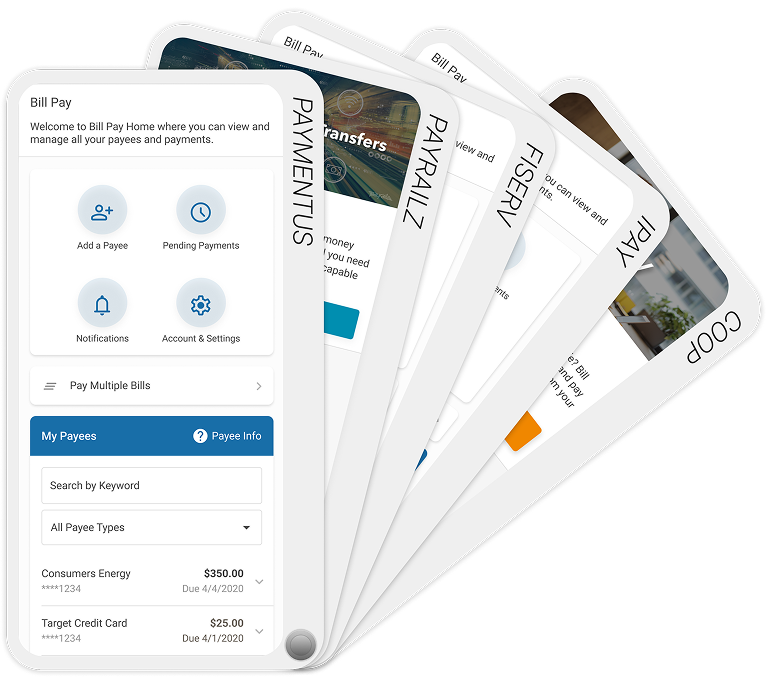
Supporting a variety of mobile-first bill pay solutions through Payveris, Fiserv, iPay, and COOP. Choose from elegant native API options or feature packed SSO solutions.
First Time User Enrollment
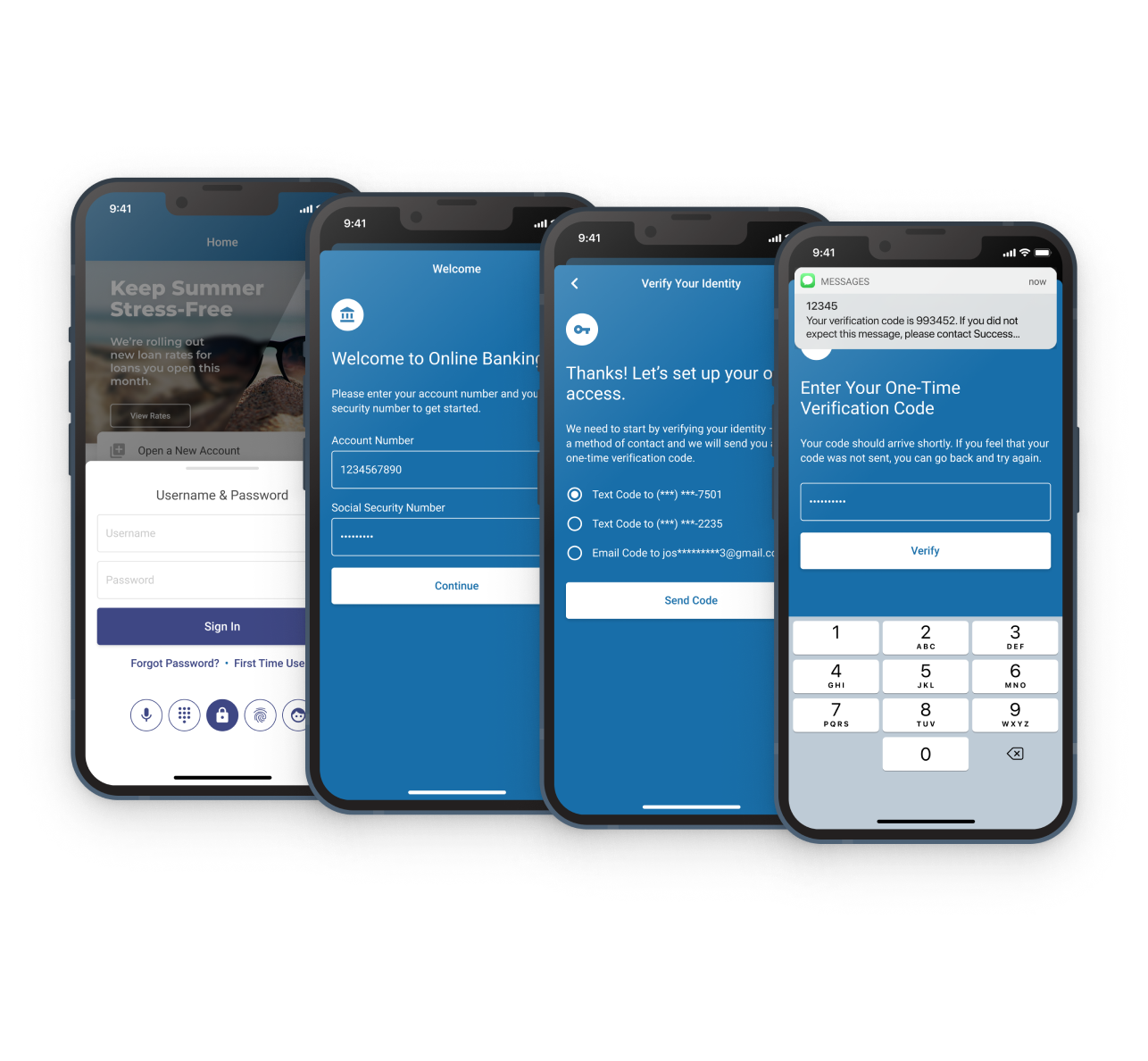
Multi-factor options to help your new mobile members through a conversion or merger. This self-service option will email or text a unique confirmation code to verify identities and enroll your member into online banking.
Mobile 9.0 on iOS
arrow_forward
App Store Developer Liaison
arrow_forward
CU Staff Test Drive
arrow_forward
App Store Deployment & Approval
arrow_forward
Year Round App Updates
$250
Now Included in Bundle Pricing
Mobile 9.0 on Android
arrow_forward
Google Play Developer Liaison
arrow_forward
CU Staff Test Drive
arrow_forward
Play Store Deployment & Approval
arrow_forward
Year Round App Updates
$250
Now Included in Bundle Pricing
Like what you’re seeing?
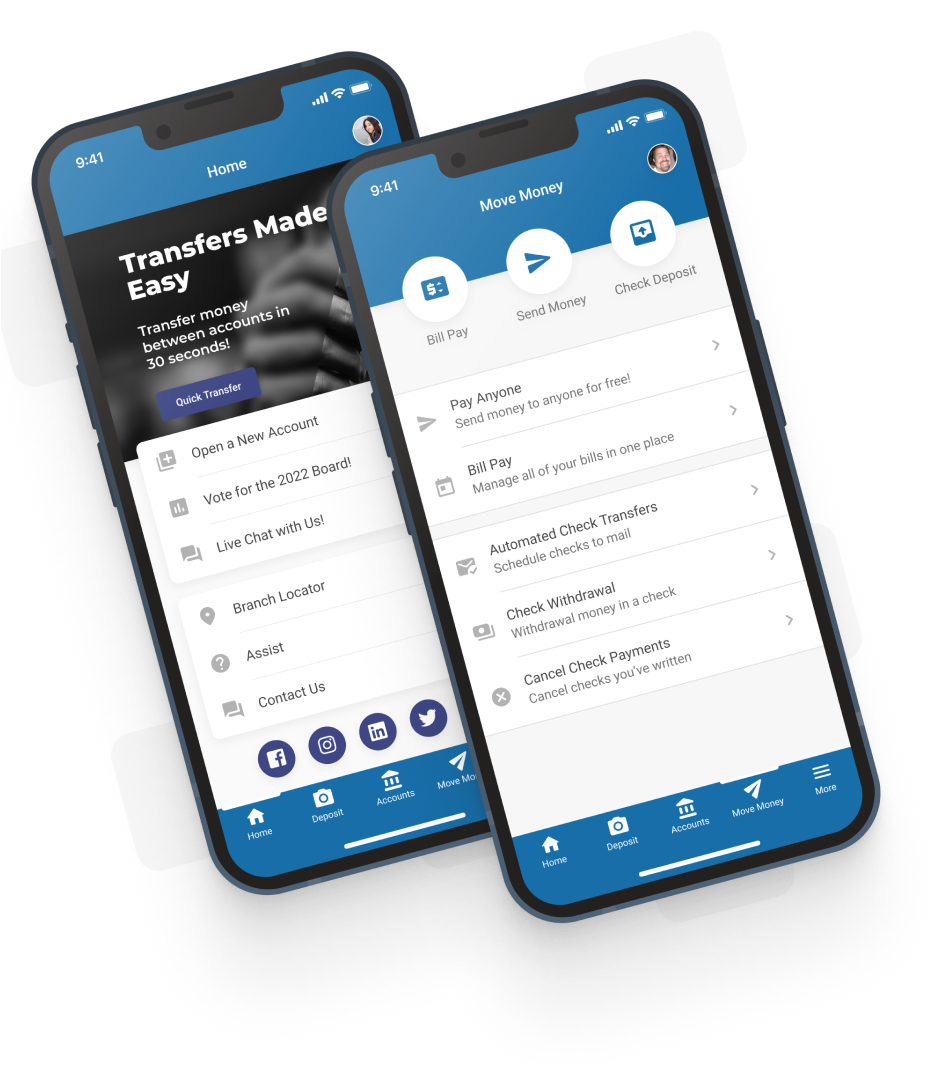

Since making the switch, our members have been thrilled with their mobile banking experiences and can’t wait for what’s next. We also enjoy the flexibility of Mobile Manager, and how we have control over layout and configurations.

Jannell Eichstaedt
Chief Experience Officer, SVP



CU Publisher 2.0 • Powered By Mobile Technologies Group • Copyright © 2026 CU*Answers Inc. All rights reserved.